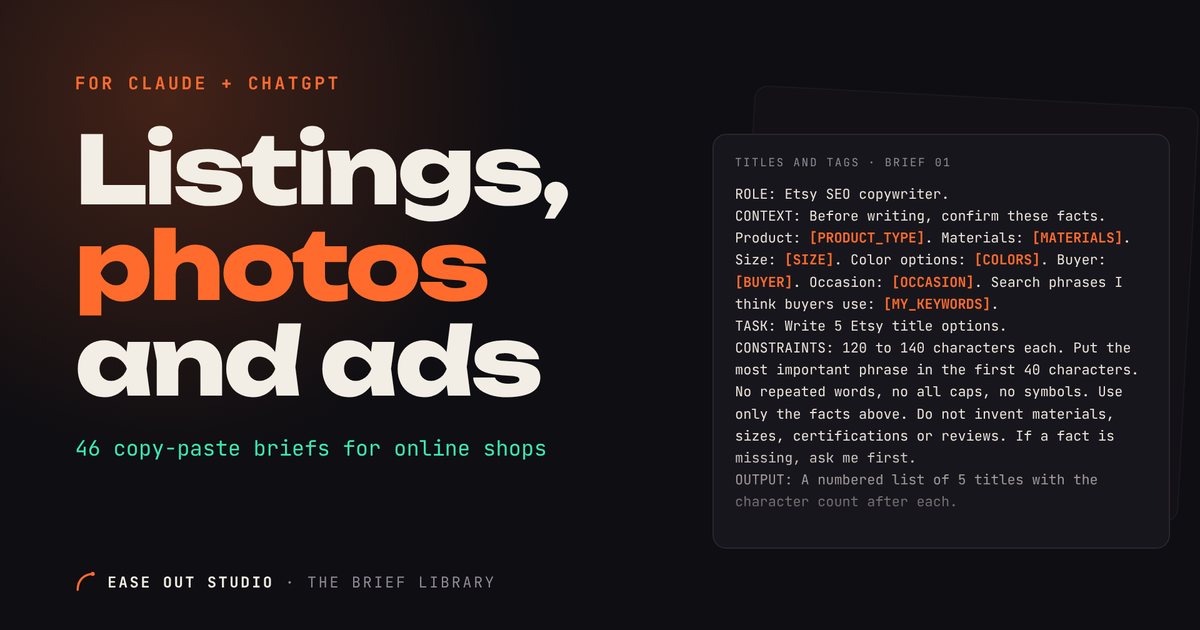
40 copy-paste briefs that make Claude or ChatGPT write one clean, responsive HTML + Tailwind landing page section at a time, plus 6 fix-it follow-ups.
Stop rewriting the same prompt every time you need a hero or a pricing table. This pack gives you 40 directed briefs that make Claude or ChatGPT write one clean, responsive landing page section at a time, using semantic HTML and Tailwind. Every brief uses the same five parts (ROLE, CONTEXT, TASK, CONSTRAINTS, OUTPUT) and asks for real copy slots instead of lorem ipsum. Proof sections use placeholders for your real quotes and numbers, so nothing is invented.
Works with: Claude (Artifacts or Claude Code), ChatGPT, any AI that writes HTML
How to write a landing page prompt for Claude or ChatGPT
Use the same structure every time. Every brief in this pack follows it (ROLE / CONTEXT / TASK / CONSTRAINTS / OUTPUT):
ROLE
Tells the AI which kind of specialist to act as.
CONTEXT
Gives your business, audience and offer so the copy fits.
TASK
Names the one section to build and what it must contain.
CONSTRAINTS
Sets sizes, tech, contrast and rules so the result stays clean.
OUTPUT
Says exactly what file or format to return.
8 free landing page prompts for Claude
Copy a brief, replace every [PLACEHOLDER] with your details and paste it into your AI tool.
Hero sections
Split hero with image
You have one strong photo or product image and a single main offer.
ROLE: You are a front-end developer who builds conversion-focused landing pages.
CONTEXT: Business: [BUSINESS_NAME], offering [OFFER_IN_ONE_SENTENCE], for [TARGET_AUDIENCE]. Main action: [PRIMARY_CTA_LABEL] linking to [CTA_URL].
TASK: Build one split hero section. Left: eyebrow [EYEBROW_TEXT], H1 [HEADLINE_UNDER_10_WORDS], subhead [SUBHEAD_UNDER_25_WORDS], primary button, and a text link [SECONDARY_LINK_LABEL]. Right: image [IMAGE_URL] with alt text [IMAGE_ALT].
CONSTRAINTS: Tailwind via CDN. Semantic HTML (section, h1, p, a). Two columns from 768px up, image below text on mobile. Image ratio 4:3, rounded 16px, loading eager. Body text at least 18px. Contrast WCAG AA. Button at least 48px tall. No lorem ipsum, use my slots.
OUTPUT: One complete HTML file containing only this section. After the code, list the slots you filled in 3 bullets.
Tip: Swap the image side by asking for the image on the left from 768px up.
Proof without fake reviews
Client logo strip from real logos
You have permission to show logos of real clients.
ROLE: You are a front-end developer who builds trust sections.
CONTEXT: Heading text: [STRIP_HEADING]. Logo files: [LOGO_1_URL], [LOGO_2_URL], [LOGO_3_URL], [LOGO_4_URL], [LOGO_5_URL] with names [CLIENT_1] to [CLIENT_5].
TASK: Build one logo strip: a small heading, then logos in one row on desktop and a 2-column grid on mobile. Logos are grayscale by default.
CONSTRAINTS: Tailwind via CDN. Each logo max height 32px, width auto, alt text is the client name. Do not add any claims, numbers or text about the clients beyond my heading. If I give fewer than 5 logos, adjust the grid. Contrast WCAG AA for the heading.
OUTPUT: One complete HTML file, one section only.
Tip: Only include logos of clients who agreed to be listed.
Features and benefits
3-column features
You have three clear, equal strengths to show.
ROLE: You are a front-end developer and conversion copy editor.
CONTEXT: Product: [PRODUCT_NAME] for [TARGET_AUDIENCE]. Features: 1) [FEATURE_1_TITLE]: [FEATURE_1_BENEFIT]. 2) [FEATURE_2_TITLE]: [FEATURE_2_BENEFIT]. 3) [FEATURE_3_TITLE]: [FEATURE_3_BENEFIT].
TASK: Build one section with heading [SECTION_HEADING], intro [INTRO_UNDER_20_WORDS], and three cards, each with an inline SVG icon, title and benefit text.
CONSTRAINTS: Tailwind via CDN. 3 columns from 1024px, 1 column on mobile, 24px gaps. Titles under 5 words, benefits under 25 words. Semantic HTML (section, h2, h3). Icons decorative with aria-hidden. Contrast WCAG AA.
OUTPUT: One complete HTML file, one section only.
Tip: Write each benefit as what the customer gets, not what the tool does.
How it works
3 numbered steps
Your process is simple and fits in three actions.
ROLE: You are a front-end developer who builds clear process sections.
CONTEXT: Offer: [OFFER_NAME]. Steps: 1) [STEP_1_TITLE]: [STEP_1_TEXT]. 2) [STEP_2_TITLE]: [STEP_2_TEXT]. 3) [STEP_3_TITLE]: [STEP_3_TEXT].
TASK: Build one section with heading [SECTION_HEADING] and three numbered steps, each with a large number, title and text under 25 words, and a final button [CTA_LABEL].
CONSTRAINTS: Tailwind via CDN. Use an ol with li. 3 columns from 768px, stacked on mobile with a 2px vertical connector line. Numbers are text, not images. Contrast WCAG AA.
OUTPUT: One complete HTML file, one section only.
Tip: Start each step title with a verb.
Pricing
3 tiers with highlighted plan
You sell three plans and want to recommend one.
ROLE: You are a front-end developer who builds pricing sections.
CONTEXT: Plans: [PLAN_1_NAME] [PLAN_1_PRICE] [PLAN_1_FEATURES]; [PLAN_2_NAME] [PLAN_2_PRICE] [PLAN_2_FEATURES] (recommended); [PLAN_3_NAME] [PLAN_3_PRICE] [PLAN_3_FEATURES]. Billing: [BILLING_PERIOD]. Button labels: [CTA_1], [CTA_2], [CTA_3].
TASK: Build one pricing section with three cards. The middle card has a 2px accent border and a text badge [BADGE_TEXT].
CONSTRAINTS: Tailwind via CDN. Max 6 feature lines per plan, each with an inline SVG check. Price at least 40px. 3 columns from 1024px, stacked on mobile with the recommended plan first. No fake discounts, countdowns or strikethrough prices. Add a line [TERMS_LINE] under the cards. Contrast WCAG AA.
OUTPUT: One complete HTML file, one section only.
Tip: Keep feature lists parallel so plans are easy to compare.
FAQ, CTA and footer
Accordion FAQ
You have 5 to 8 common questions.
ROLE: You are a front-end developer who builds accessible accordions.
CONTEXT: Questions and answers: [Q1] [A1]; [Q2] [A2]; [Q3] [A3]; [Q4] [A4]; [Q5] [A5]; [Q6] [A6].
TASK: Build one FAQ section with heading [SECTION_HEADING] and an accordion where one item can be open at a time.
CONSTRAINTS: Tailwind via CDN. Prefer native details and summary elements. Summary rows at least 48px tall with a visible focus ring and a plus/minus icon. Max width 720px. Answers under 60 words. Add FAQPage JSON-LD using only my text. Contrast WCAG AA.
OUTPUT: One complete HTML file, one section only.
Tip: Order questions by how often customers actually ask them.
Full pages in one brief
SaaS product page
You are launching or relaunching a software product.
ROLE: You are a senior front-end developer and landing page strategist.
CONTEXT: Product: [PRODUCT_NAME]. Audience: [TARGET_AUDIENCE]. Core outcome: [MAIN_OUTCOME]. Brand color: [BRAND_COLOR_HEX]. Font: [FONT_NAME].
TASK: Build one page with these sections in order: 1) Nav with logo and [NAV_CTA_LABEL]. 2) Hero: [HEADLINE], [SUBHEAD], screenshot [SCREENSHOT_URL]. 3) Logo strip: [REAL_LOGO_URLS] (omit if none). 4) 3 features: [FEATURE_1], [FEATURE_2], [FEATURE_3]. 5) How it works in 3 steps: [STEP_1], [STEP_2], [STEP_3]. 6) Real quote: [CUSTOMER_QUOTE] by [CUSTOMER_NAME] (omit if empty). 7) Pricing: [PLANS_AND_PRICES]. 8) FAQ with 5 questions: [FAQ_LIST]. 9) Final CTA: [CTA_HEADLINE]. 10) Footer with [LEGAL_LINKS].
CONSTRAINTS: Tailwind via CDN. Semantic HTML, one h1, logical h2 and h3. Mobile first, breakpoints 640, 768, 1024px. Contrast WCAG AA. Invent no reviews, numbers, logos or guarantees. Mark any empty slot with an HTML comment.
OUTPUT: One HTML file with sections separated by comments.
Tip: Fill only the slots you have real content for and let the AI omit the rest.
Polish passes
Mobile layout fix
The page looks right on desktop but breaks on a phone.
ROLE: You are a mobile-first front-end developer.
CONTEXT: Below is my HTML section. Problems I see on mobile: [DESCRIBE_PROBLEMS]. Test widths: 360px, 390px, 768px.
TASK: Fix the layout for mobile. Check horizontal scroll, text size, button size, image overflow, spacing and stacking order.
CONSTRAINTS: Keep Tailwind via CDN and my copy unchanged. Body text at least 16px. Tap targets at least 44px. No horizontal scroll at 360px. Do not change the desktop layout from 1024px up. Use fewer than 10 changed classes per element.
OUTPUT: The full corrected HTML, then a list of changes in 5 bullets or fewer.
HTML:
[PASTE_HTML_HERE]
Tip: Name the exact width where it breaks so the fix is targeted.
How to use these briefs
Pick the section you need and copy the whole brief.
Replace every [PLACEHOLDER] with your real copy, links and numbers before you send it.
Paste it into Claude (Artifacts or Claude Code), ChatGPT or any AI that writes HTML.
Save the output as one HTML file per section, then open it in a browser to check it.
If something looks off, paste a Fix-it follow-up instead of rewriting the brief.
Never fill proof placeholders with invented praise or numbers. Leave them empty until you have real ones.
What is in the full pack
Claude Prompts for Landing Pages: 40 Section Briefs (HTML + Tailwind)
Hero sections: 6 briefs. The hero decides whether a visitor keeps scrolling. Each brief builds one hero with a clear headline, one main action and real copy slots.
Proof without fake reviews: 4 briefs. These briefs build proof sections that stay empty until you add real material. Nothing is invented.
Features and benefits: 6 briefs. Six layouts for explaining what you offer. Each one asks for benefits first and details second.
How it works: 4 briefs. Four ways to show the process so visitors know what happens after they say yes.
Pricing: 4 briefs. Four pricing layouts that show the real price, the real terms and no pressure tricks.
FAQ, CTA and footer: 6 briefs. The closing parts of a page: answers, a last push and the footer that makes the site look real.
Full pages in one brief: 5 briefs. Each brief asks for a whole landing page in a fixed section order. Use it for a first draft, then refine with the section briefs.
Polish passes: 5 briefs. Run these after the first draft. Paste your HTML under each brief and let the AI fix one thing well.
Fix-it follow-ups: 6. Short messages to paste after the AI gives you a first draft that is almost right.
Format: instant download, a PDF, a page with a Copy button for every brief and a plain text file
Use the briefs in your own and client work. Do not resell or share the pack. One-time price, no subscription.
FAQ
How do I write a landing page prompt for Claude or ChatGPT?
Give the model the same parts every time: ROLE, CONTEXT, TASK, CONSTRAINTS, OUTPUT. Fill each part with specifics such as sizes, timings, counts and what to avoid, instead of adjectives. The free briefs on this page show the full structure filled in.
Which AI tools does it work with?
Claude (in Artifacts or Claude Code), ChatGPT and any AI that writes HTML. The briefs are plain text, so you paste them in as they are.
What format do I get?
A PDF, a web page with a copy button on every brief, and a plain text file. Each brief produces one HTML file for one section.
Will the AI write fake reviews or numbers for me?
No. The proof briefs use placeholders for your real quotes, logos and results, and they tell the AI not to invent any. You stay responsible for adding only true content.
Do I need to know Tailwind or code to use it?
No. You fill in the placeholders and paste. The output is a single HTML file you can open in a browser. For a live site, the speed brief explains how to move from the Tailwind CDN to a compiled build.